Here are the steps you can follow to cancel your Wyndy Sitter subscription:
- Log into your account at https://app.wyndy.com/sitters/sign_in

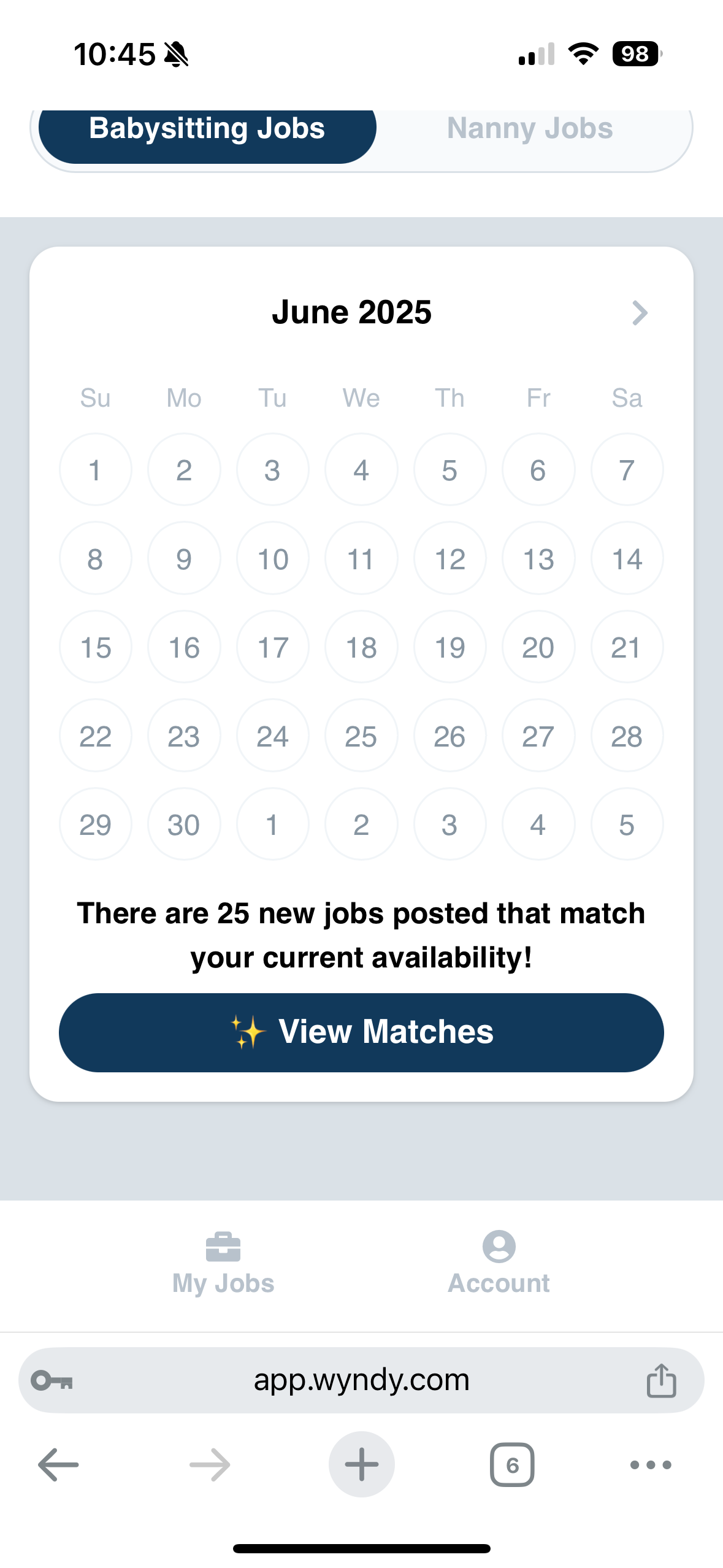
- Once logged in, scroll to the bottom of the page and tap on "Account"
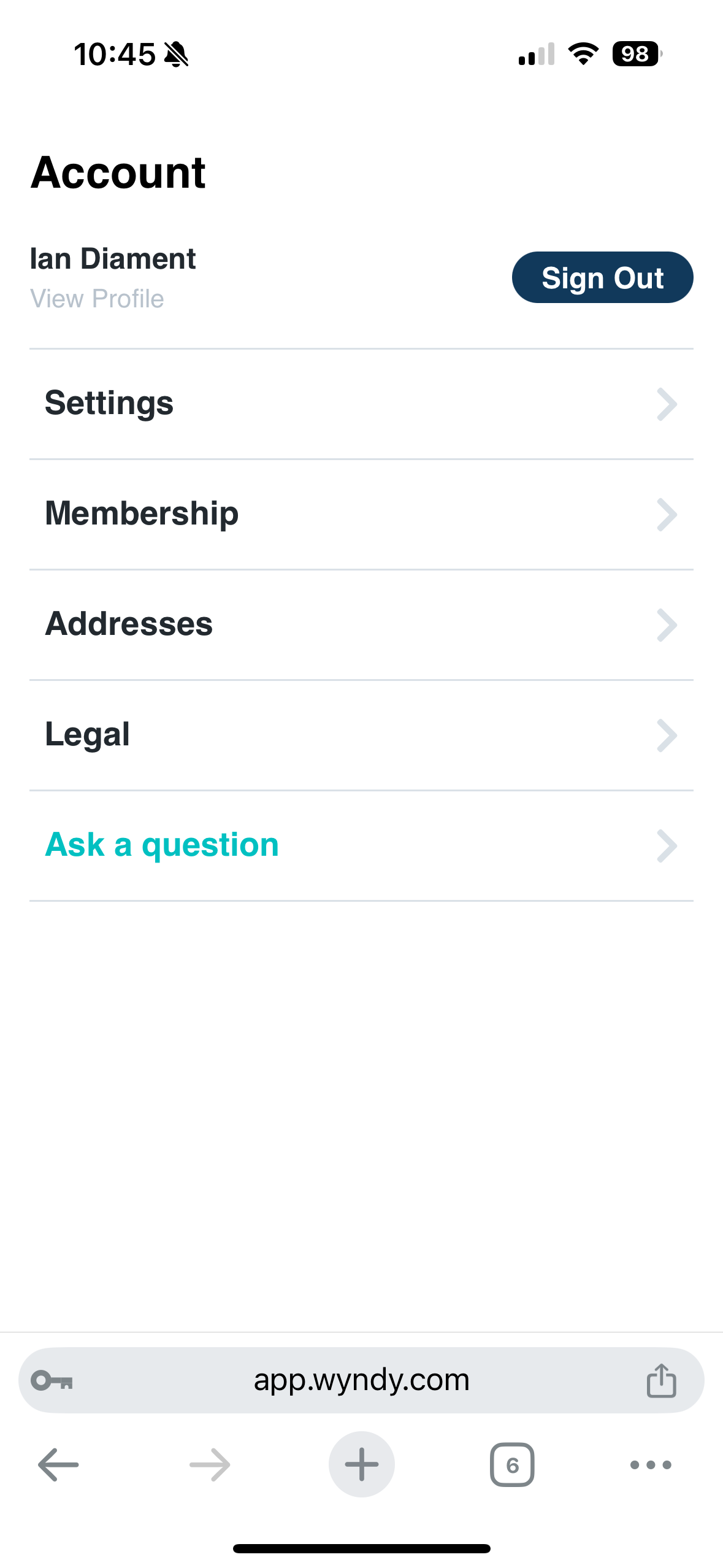
- On the menu screen, tap on "Membership"
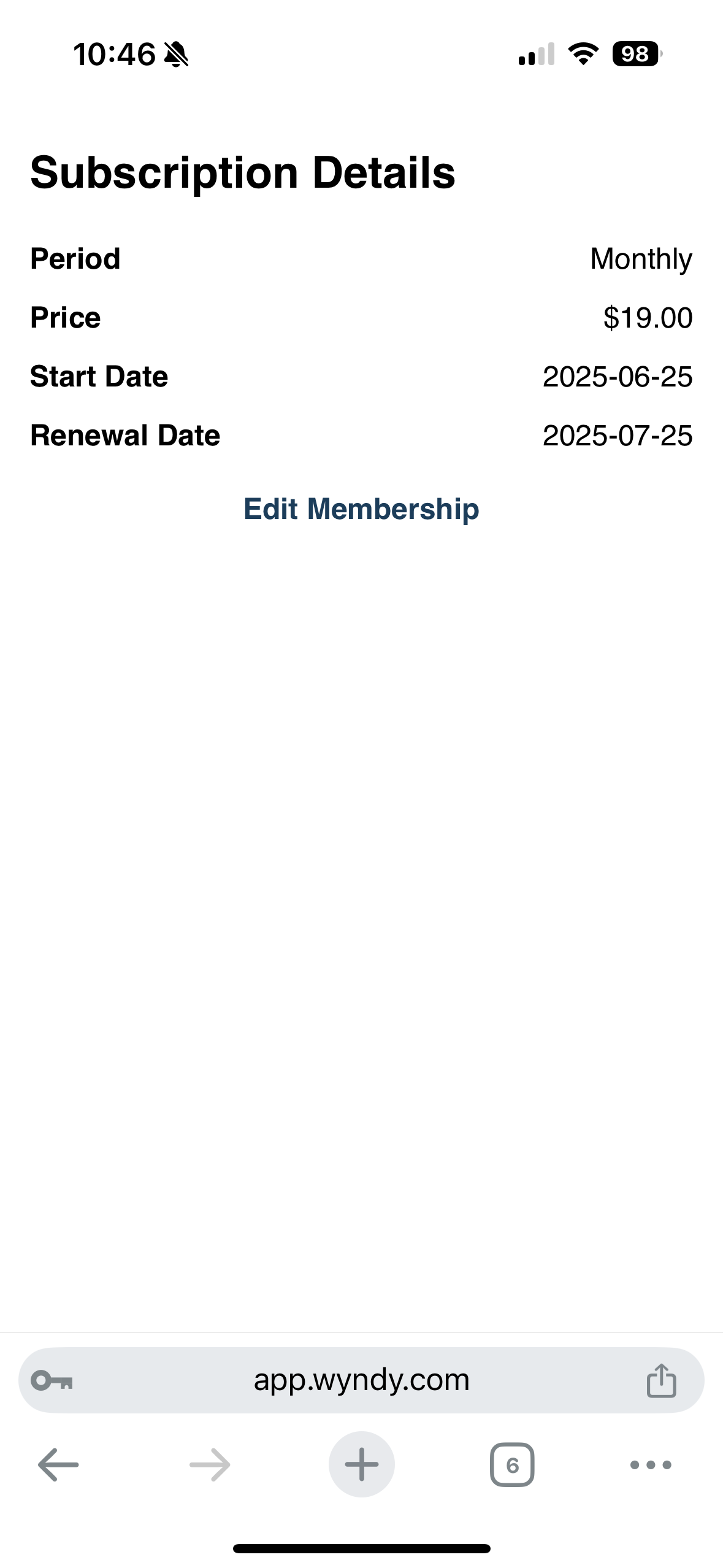
- Under your "Subscription Details" tap on "Edit Membership"
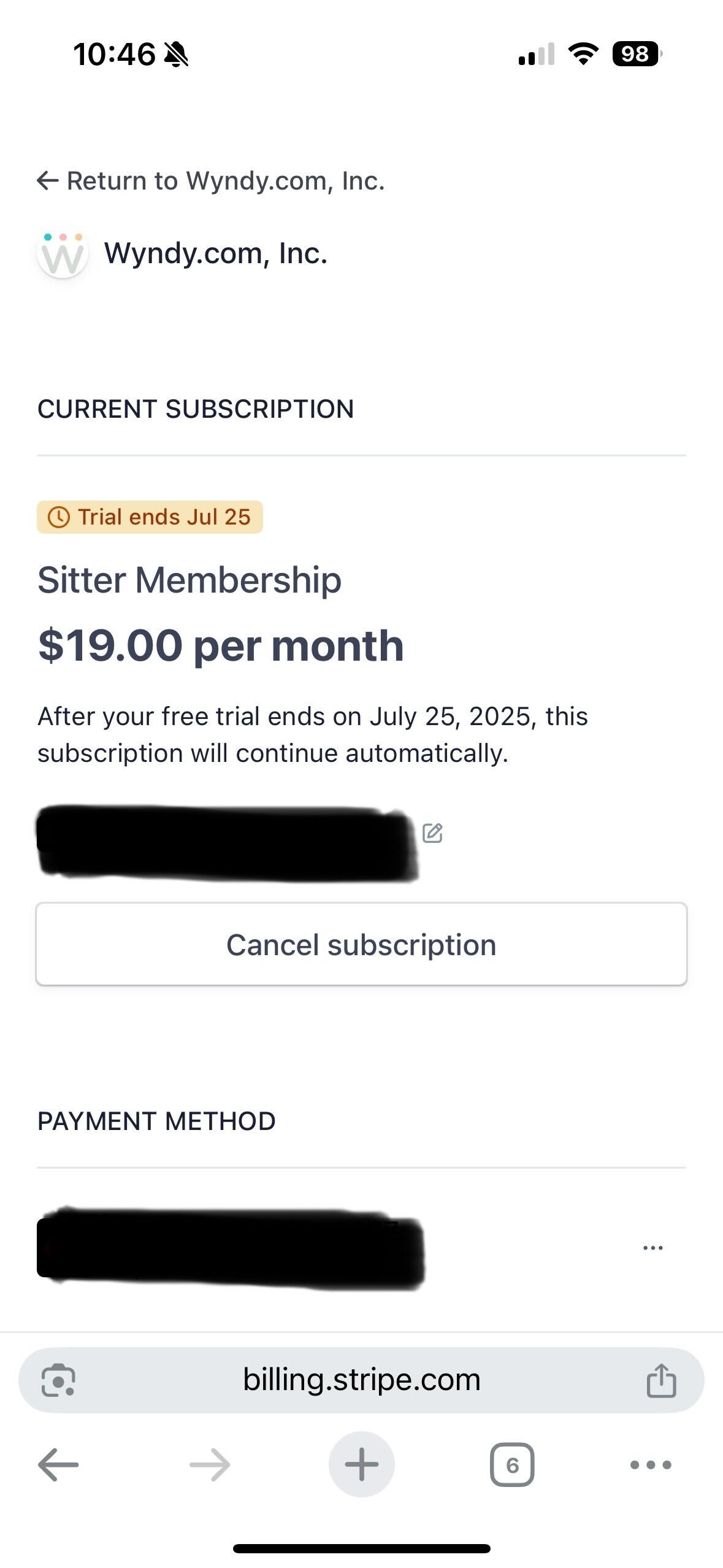
- Next, tap "Cancel subscription"
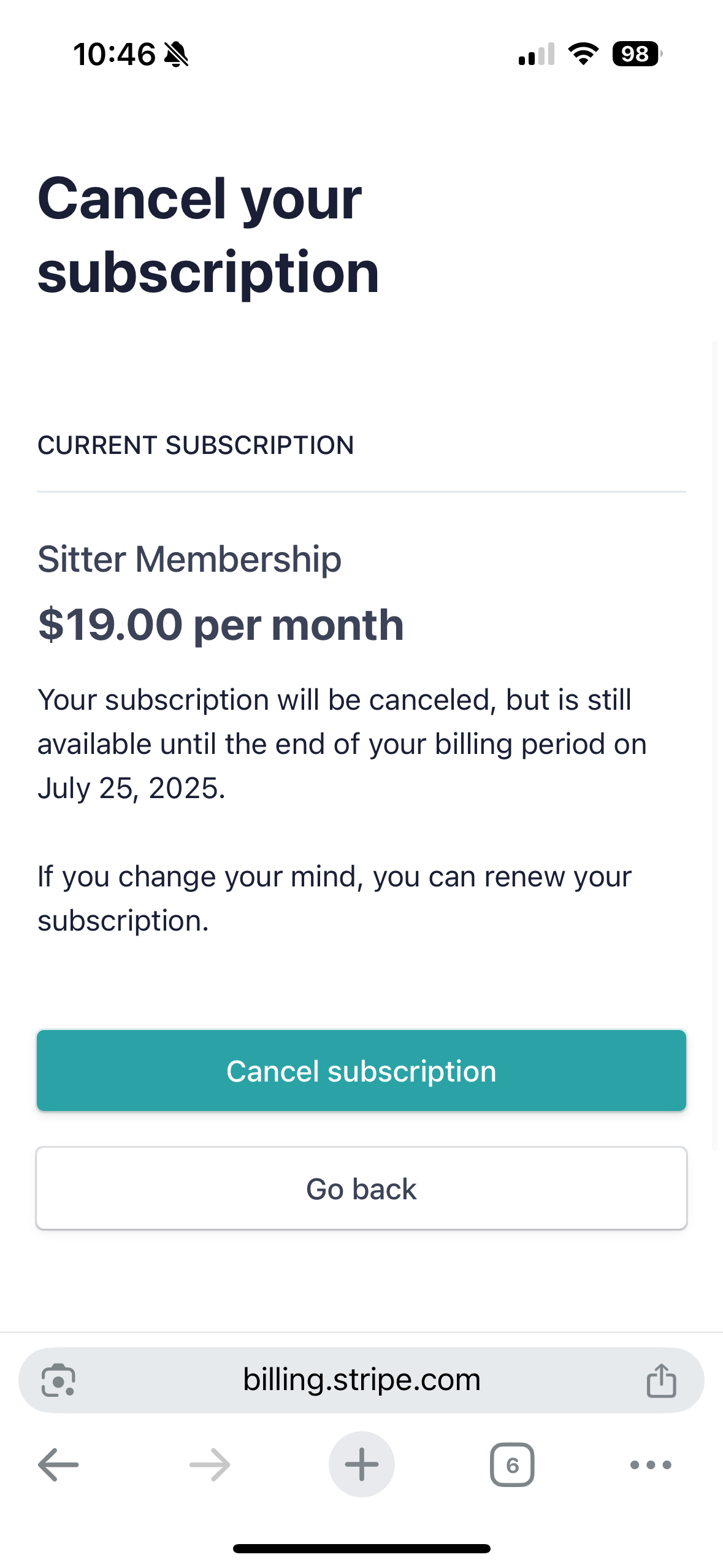
- On the "Cancel your subscription" page, tap on "Cancel subscription"
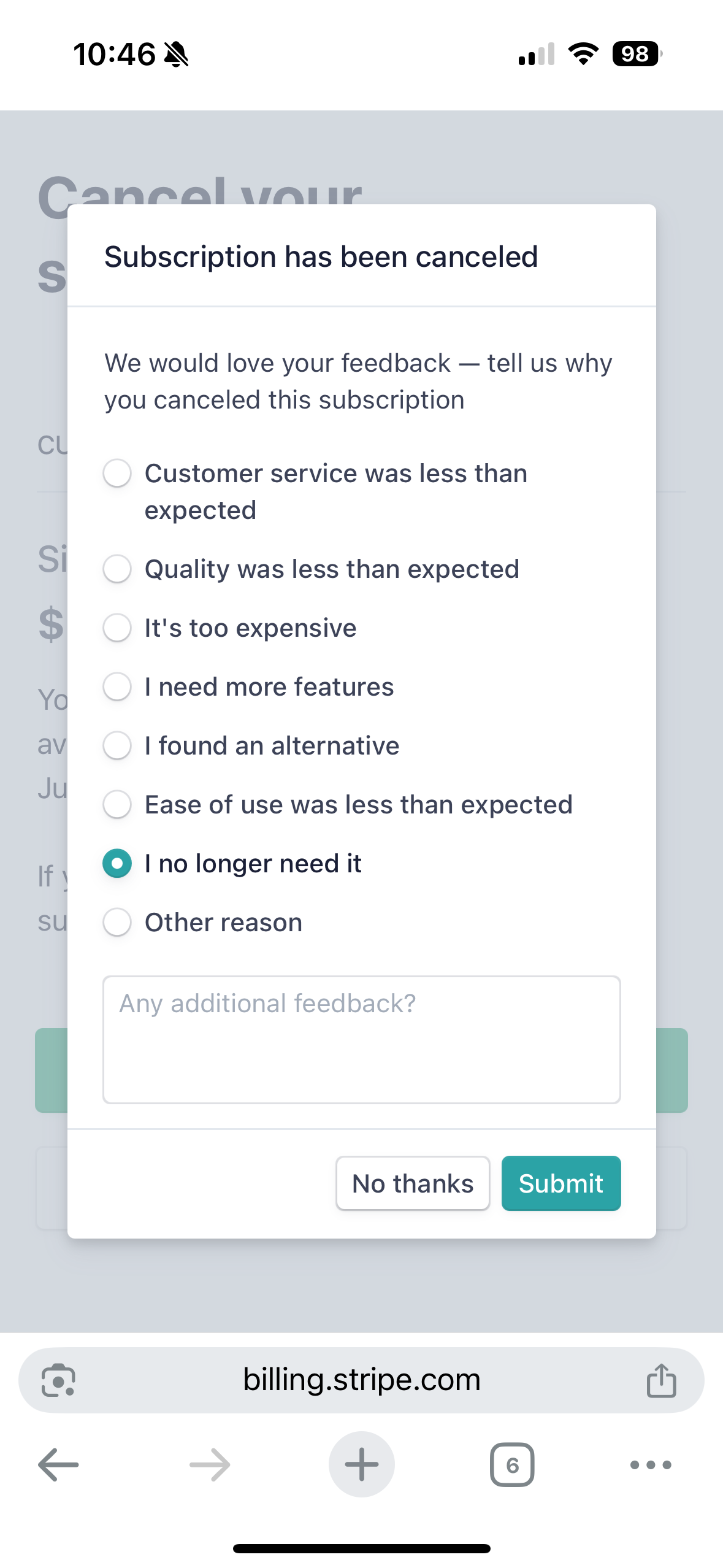
- Select a reason for canceling and tap "Submit"
Once these steps are completed, your subscription is canceled. You'll still be able to access and use your Wyndy babysitter account until the date listed above your subscription details: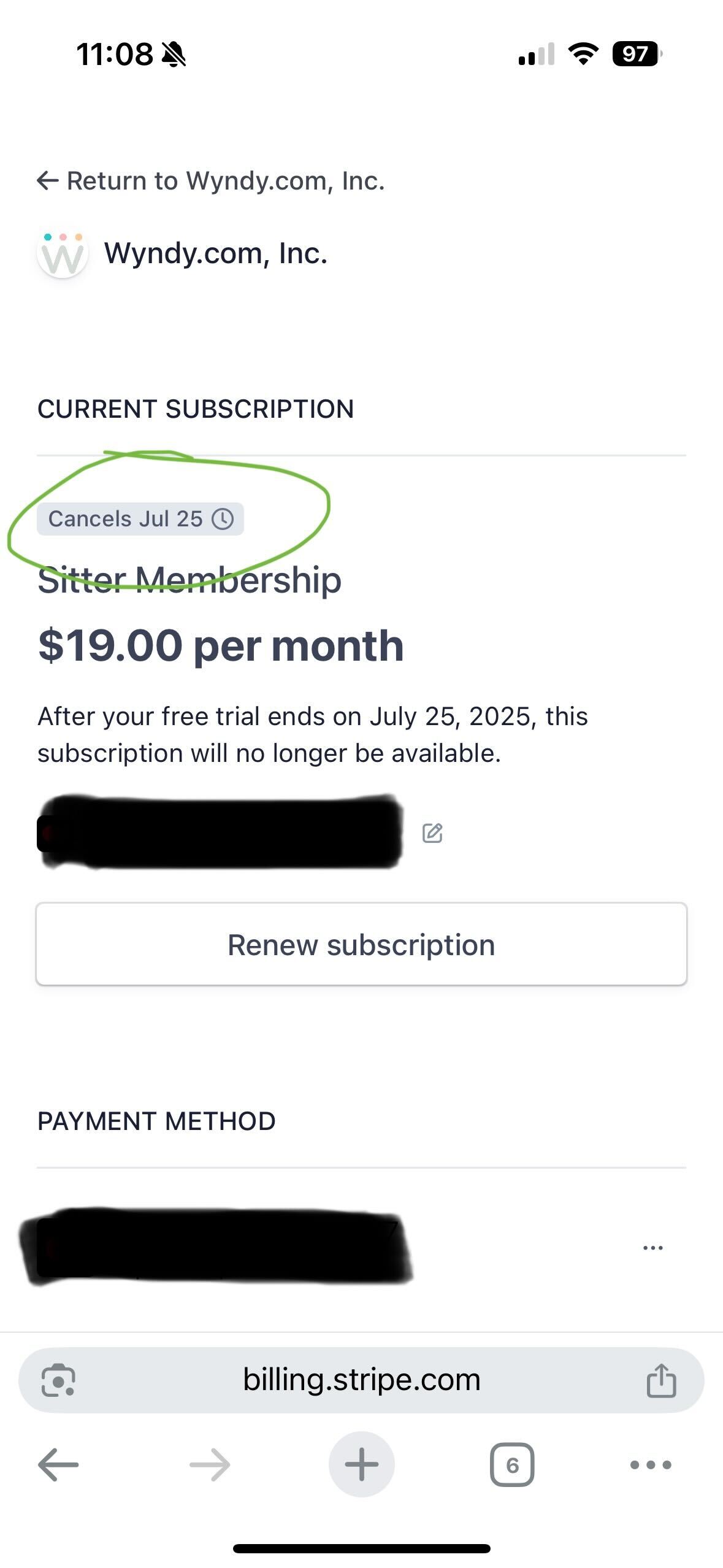
If you'd like to renew your subscription, you can sign into your account at the link above and navigate to the "Membership" page to renew as seen in the image above.
Was this article helpful?
That’s Great!
Thank you for your feedback
Sorry! We couldn't be helpful
Thank you for your feedback
Feedback sent
We appreciate your effort and will try to fix the article